Treams in Claude, ChatGPT and Copilot, built for the week you already have
Good performance management happens in a manager's ordinary week: the 1:1 that actually takes place, the feedback written down while it still matters. More and more managers spend that week in Claude, ChatGPT or Copilot. With the Treams MCP connection one question brings a team member's goals, feedback and past 1:1s into the AI chat your managers already have open. And the next message sends a new 1:1 or goal back to Treams.
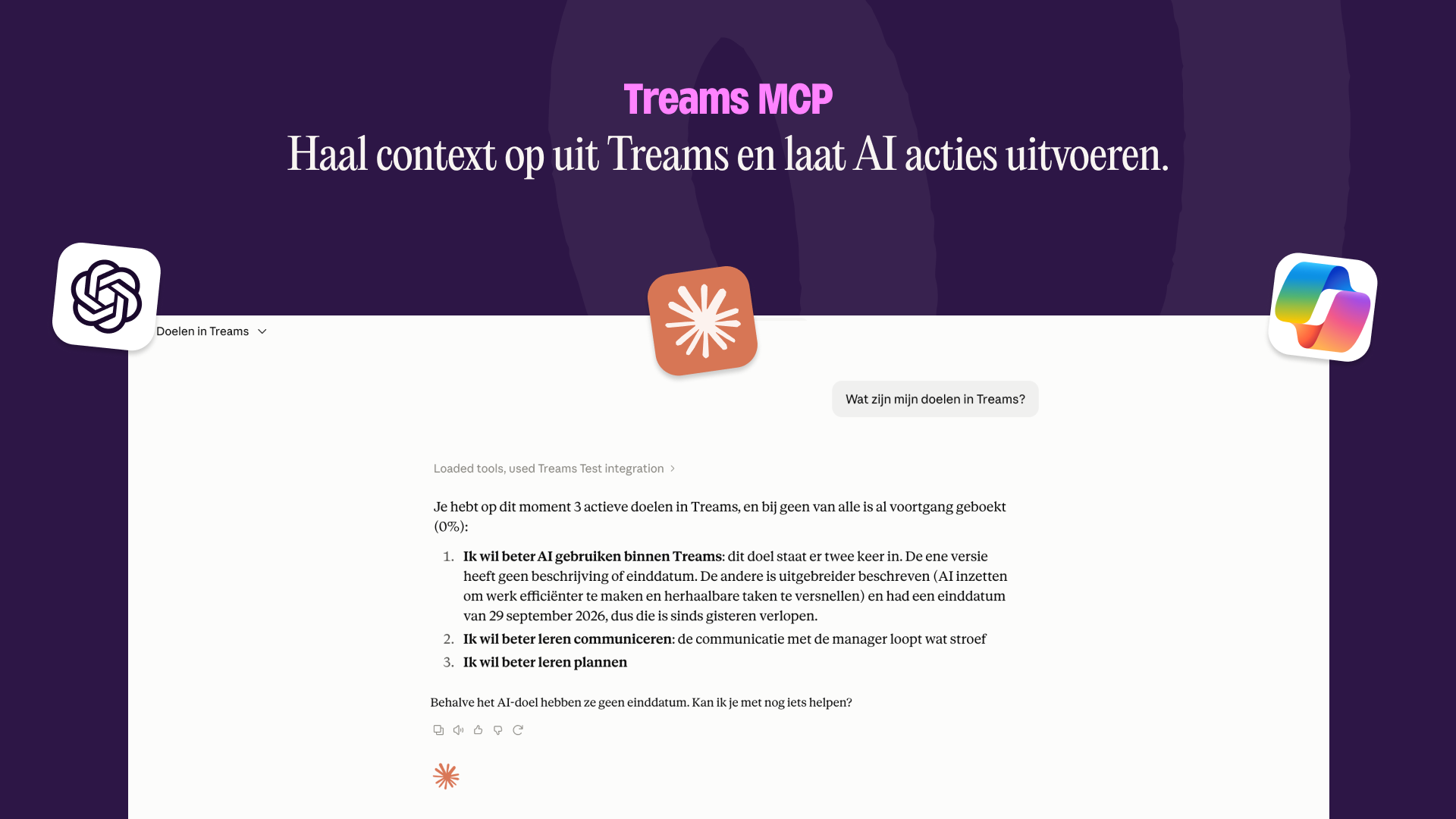

- Performance management should be part of the rhythm your teams already have. More and more managers spend that week in Claude, ChatGPT or Copilot. Performance management should fit that seamlessly
- Treams' MCP pulls context from Treams to the AI chat.
A team member's goals, feedback and past 1:1s land straight in the assistant you already use. - The connection also allows users to push context and actions into Treams.
Ask the AI to draft a 1:1 agenda or a goal and it will be able to push it right into your Treams environment. - Permissions stay the same. You only see what you can already see in Treams.
Performance management should follow the week your managers already have.
Performance management works when it's part of a manager's regular week. A quick look at how someone's goal is going before a project meeting. Feedback written down on the day it comes up. Or a 1:1 prepped without switching systems and with the context from what happened since the last one.
Each of those moments asks for a small effort. Open another tool, find the right person, read back what you discussed last time. On a busy day that small effort is enough to push the moment to next week, and then to the week after that.
Meanwhile, that week runs more and more through an AI assistant. Managers use Claude, ChatGPT or Microsoft Copilot to write emails, think a problem through and prepare meetings. Performance management often is one more tab they have to remember to open.
One question away
The Treams MCP connection brings the two together. MCP (Model Context Protocol) is an universal open standard that lets AI assistants connect to other software. Once Treams is connected, you can pull a team member's context into your conversation with a single question, and send actions back to Treams without leaving the assistant.
That lowers the barrier at the exact point where good intentions usually stall. Preparing a 1:1 becomes something you do in the two minutes before it starts, in the tool that's already open on your screen.
Bringing context in
You chat the way you always do. The one thing to remember is to name the team member in your prompt:
- Give me an overview of Freek's open goals.
- Help me prepare a 1:1 with Freek.
- What did we agree in my last 1:1 with Freek?
The assistant pulls in the whole file: your earlier conversations, the feedback Freek received, how his goals are progressing and what you discussed in previous 1:1s. Then it does what you asked with it, whether that's a summary, a list of open points or a first draft of an agenda.
Sending actions back
It works the other way too. Say: "I want a good conversation with Freek about how he's developing in project planning." The assistant proposes an agenda, checks whether you agree and asks if you want to add anything. Once you approve, it creates the 1:1, and it's waiting for you in Treams.
Approval is a key term in this. Nothing happens without the person writing the prompts approval. Performance management ultimately is and will remain human work.
Who sees what
Your access stays exactly as it is in Treams. As a manager you see the profiles of your own team members, and nobody else's. The connection runs as you: Treams checks your permissions on every request and only returns what you're already allowed to see. If you can't open something in Treams, the assistant won't get it either. The only thing that changes is where you look things up.
Once an answer reaches your assistant, that assistant's own privacy policy applies to the rest of the conversation. You can read ours at treams.com/en/privacy-policy.
Using Treams with Claude
The connection works with Claude, ChatGPT and Microsoft Copilot. Here's how it works in Claude, step by step.
Before you start
- Your organization uses Treams and you have a Treams account. Accounts are issued by your organization.
- A workspace superuser has turned the connector on (see below).
- You know which email address you use to sign in to Treams.
Turn the connector on
A workspace superuser does this once for the whole organization:
- In Treams, open Settings → Connectors → Remote MCP.
- Turn the connector on and save.
After that, everyone in the workspace can sign in from Claude with their own Treams account. Each person sees their own data, within the permissions they already have in Treams.
What you can ask Claude
- Who am I in Treams?
- What are my active goals in Treams?
- Find a colleague named Freek in Treams.
- What did we cover in my last 1:1 with Freek?
Creating something needs a clear request:
- Create a goal for me in Treams called "Ship the onboarding guide", due 31 December 2026.
- Create a 1:1 in Treams about Freek and note that we agreed to review the onboarding guide next month.
What Claude can read
Reading and creating are kept separate. Everything below is read-only, and every read follows your Treams permissions.
- Your profile, and the colleagues you're allowed to see
- The workspace name and which Treams features are turned on
- Roles, job titles and job positions
- Goals (yours, a colleague's or a team's), including the full text of a single goal. Claude reads the 25 most recent goals per status.
- Notes and 1:1s you're allowed to view
- Feedback templates, and feedback requests from the last three years
- Conversations with a manager, supervisor or coach
- A person's timeline over the last three years: goals, 1:1s, conversations, feedback, learning and job positions
- Departments, regions and teams
What Claude can create
- A new goal for you, someone else, a team, a department or the whole workspace. This needs the goals module; a goal for a team, department or workspace also needs team goals turned on.
- A new 1:1 about a person, with you as the owner. This needs notes and 1:1s turned on. The person the 1:1 is about sees it once you share it with them.
Why we're building this
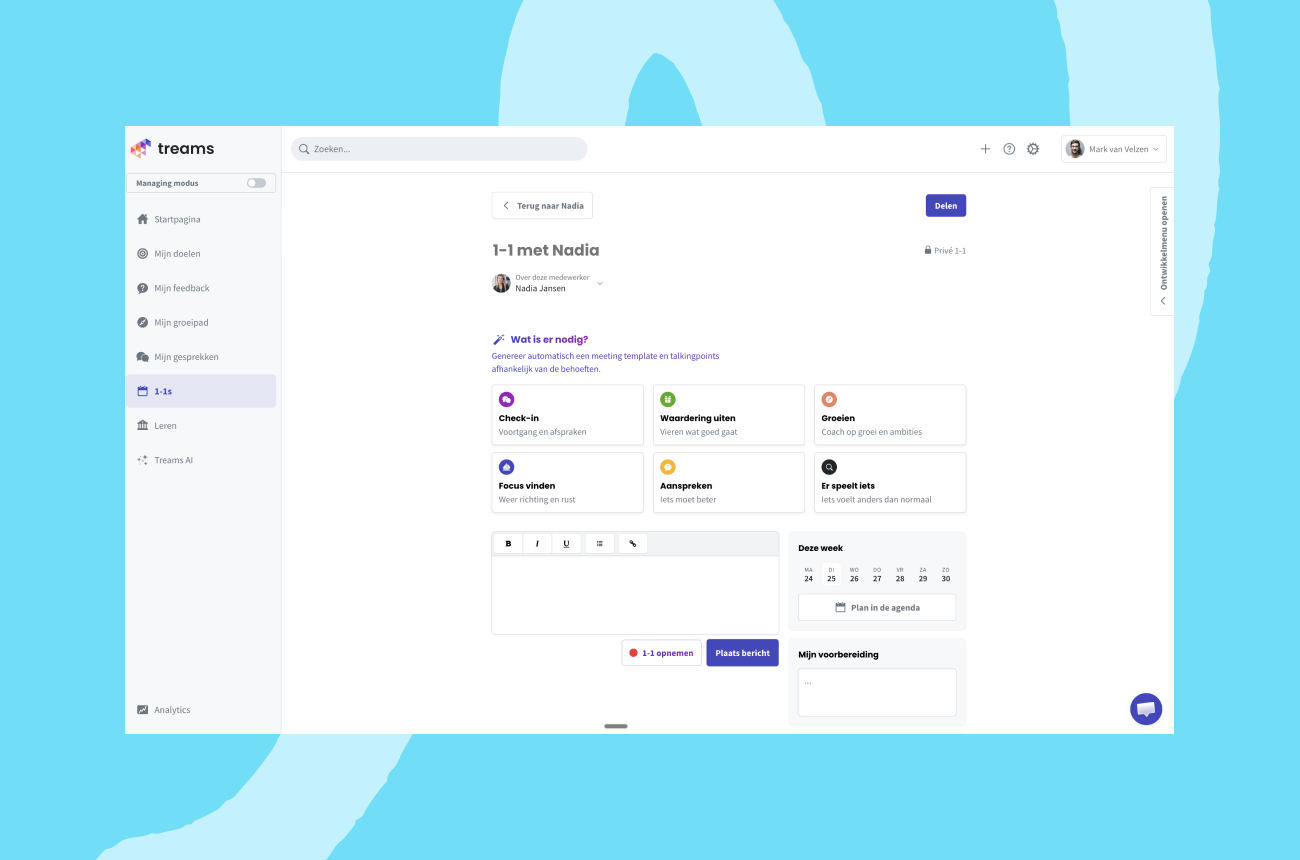
We want performance management to fit into the week a manager already has, so it doesn't have to compete with it. The 1:1 module, the Outlook and Teams integrations and now the MCP connection all come from the same idea: meet managers where they already work, and take out the steps that make a good conversation feel like extra work.
The MCP connection is part of the Treams AI add-on. Want to connect Treams to Claude, ChatGPT or Copilot? Let us know and we'll set it up with you.
Try it before your next 1:1
Already using Treams with the AI add-on? Let us know and we'll set up the connection with you. New to Treams? Book a demo and we'll show you how a 1:1 gets prepared in Claude, ChatGPT or Copilot.


Keep reading

Treams and GoodHabitz bring learning to the moment it matters
Performance management is stuk. Wat nu?
Discover the new Treams
Performance management is stuk. Wat nu?
The 1:1 module, built for the manager's messy Monday
Performance management is stuk. Wat nu?